
Command Injection
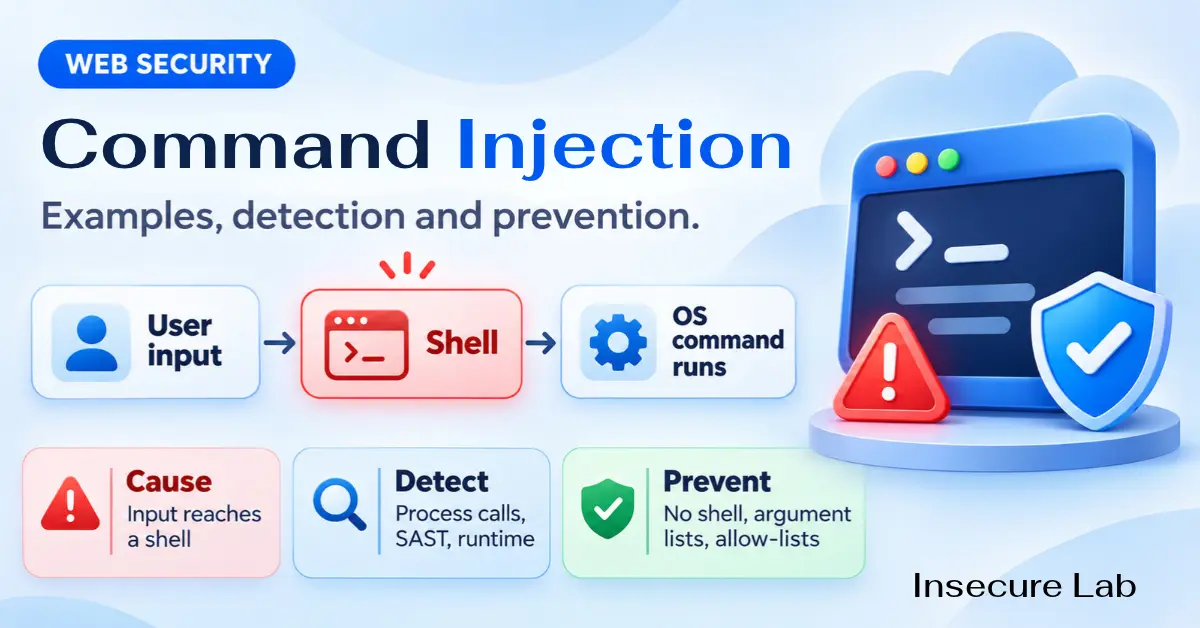
Table of Contents
Quick Answer
Command injection is a vulnerability in which untrusted input changes an operating system command that an application runs. It usually happens when code builds a command line from strings and hands it to a shell, which reads spaces and special characters as instructions. A related form, argument injection, needs no shell: a value that starts with a hyphen is read as an option. Prevent it by using a library instead of a command where you can, and otherwise by starting a fixed program with separate arguments, no shell, and input checked against an allow-list.
This defensive guide explains what command injection is, how input crosses from data into a command, and how it led to some of the most exploited flaws of recent years. Three Java examples each show the fault, a harmless test that detects it, and the fix, followed by the risky and safer calls in Python, Node.js and PHP. There are no attack strings here: the test values are a space, a leading hyphen and a Windows variable name.
What is command injection?
Applications start other programs all the time: to convert a file, query a network tool, run a backup or call a script someone wrote years ago. Command injection, also called OS command injection or shell injection, happens when input from outside the application changes what that command does. MITRE catalogues it as CWE-78, and it ranks ninth in the 2025 CWE Top 25. OWASP places it under A05 Injection in the Top 10:2025.
The injected part runs with the identity of the application, so the attacker can do whatever the application's account can do: read its files and secrets, change its data and connect to the systems it can reach. When the input arrives over a network, the result is remote code execution.
| Term | Weakness | What changes |
|---|---|---|
| Command injection | CWE-78 | The command line: input adds a command, or changes how the shell splits and expands it |
| Argument injection | CWE-88 | The meaning of an argument: input that should be data is read as an option of the program |
| Code injection | CWE-94 | Code evaluated by the application's own language or expression engine |
| Remote code execution | An outcome | The attacker can run code of their choice over a network, through any of the above or other flaws |
How command injection works
A program receives its arguments as a list of separate strings. The danger is in how that list is produced from what the application wrote.
Through a shell
When an application passes a whole command line to sh -c, bash -c or cmd /c, or calls a function that does so, such as system(), the shell decides where one argument ends and the next begins. It also reads characters that separate commands, redirect output, substitute values and expand variables. Any of those inside the input becomes an instruction to the shell, not part of the data. Quoting helps only if it exactly matches the rules of that shell, and those rules are different on Unix and Windows.
Through the program's own options
Even without a shell, the program you start interprets its arguments. Many tools treat a value beginning with - as an option, and some options write files, read configuration or run other programs. A file name, branch name or host name chosen by a user can turn into such an option. OWASP's cheat sheet puts it simply: every OS command injection is also an argument injection.
Through Windows batch files
On Windows, a .bat or .cmd file is run through cmd.exe even when the application did not ask for a shell. The language runtime quotes the arguments for an ordinary program, but cmd.exe parses them by its own rules and expands %VARIABLE% references first. In April 2024, the researchers at Flatt Security who disclosed this as BatBadBut found it in many languages. Several runtimes released patches; their status table lists Java as "won't fix", so Java applications have to avoid the pattern themselves.
Java examples with fixes
The three examples below were compiled and run on Java 21, with imports left out for length. Each test uses a harmless value that only shows whether the input is interpreted. Run such tests only against code you own or are authorised to test.
Input passed to a shell
The fault. A log search feature builds a grep command line from the search term and gives it to sh -c. The shell, not the developer, decides what the term means.
static String countMatchesUnsafe(String term) throws IOException {
    // term comes from the request
    var p = new ProcessBuilder("sh", "-c", "grep -c " + term + " app.log")
        .redirectErrorStream(true).start();
    return new String(p.getInputStream().readAllBytes()).trim();
}
How to detect it. Look for a shell as the first element of a ProcessBuilder or Runtime.exec call, followed by a string built from variables. Find Security Bugs reports these calls as COMMAND_INJECTION. In a test, a search term containing a space is enough. If the shell splits it, the input is being parsed as part of the command.
Test input: the search term "two words", in a log where it appears once

countMatchesUnsafe -> grep: words: No such file or directory
                      app.log:1     the shell split the input into two arguments
countMatchesFixed  -> 1             the term reached grep as one argument
The fix. Start the program directly and pass each argument as its own string, so no shell is involved. Check the term against an allow-list of the characters a search needs. -F makes grep treat the term as text, -e marks it as the pattern even if it starts with a hyphen, and -- ends the options before the file name. Better still, search the file in Java and start no process at all.
static final Pattern SEARCH_TERM = Pattern.compile("[\\p{L}\\p{N} ._-]{1,64}");

static String countMatchesFixed(String term) throws IOException {
    if (!SEARCH_TERM.matcher(term).matches()) {
        throw new IllegalArgumentException("Unsupported search term");
    }
    var p = new ProcessBuilder("grep", "-c", "-F", "-e", term, "--", "app.log")
        .redirectErrorStream(true).start();
    return new String(p.getInputStream().readAllBytes()).trim();
}
Argument injection without a shell
The fault. A report feature counts the lines in an uploaded file with wc. There is no shell, and each argument is separate. The user still chooses an argument, and wc reads any argument starting with a hyphen as an option.
static String lineCountUnsafe(Path uploads, String name) throws IOException {
    // name comes from the request; there is no shell here
    var p = new ProcessBuilder("wc", "-l", name)
        .directory(uploads.toFile()).redirectErrorStream(true).start();
    return new String(p.getInputStream().readAllBytes()).trim();
}
How to detect it. For every process call, list which arguments a user can influence and check what the program does with a value beginning with -. In a test, pass the name --version. A harmless option is enough to show the value is read as an option. Here wc printed its version instead of a line count.
Test input: the file name "--version"

lineCountUnsafe -> wc (GNU coreutils) 8.32 ...   the value was read as an option
lineCountFixed  -> IllegalArgumentException      Unknown file
The fix. Do not let the client name files at all: store uploads under names the server generates, and accept only that format. Put -- before values the program should treat as operands, for tools that support it. Not every program does, and some options still apply after it, so the allow-list is the main control.
static final Pattern STORED_NAME =
    Pattern.compile("[0-9a-f]{8}(-[0-9a-f]{4}){3}-[0-9a-f]{12}\\.csv");

static String lineCountFixed(Path uploads, String name) throws IOException {
    if (!STORED_NAME.matcher(name).matches()) {
        throw new IllegalArgumentException("Unknown file");
    }
    var p = new ProcessBuilder("wc", "-l", "--", name)
        .directory(uploads.toFile()).redirectErrorStream(true).start();
    return new String(p.getInputStream().readAllBytes()).trim();
}
A Windows batch file
The fault. An older reporting script is a batch file, and the application passes it the customer value from the request. The code looks like the safe form above: a fixed program and separate arguments.
// report.bat contains one line:  @echo Report for %1

static String reportUnsafe(Path scripts, String customer) throws IOException {
    // customer comes from the request; no shell is requested here
    var p = new ProcessBuilder(scripts.resolve("report.bat").toString(), customer)
        .redirectErrorStream(true).start();
    return new String(p.getInputStream().readAllBytes()).trim();
}
How to detect it. Search for .bat and .cmd in process calls and configuration, and remember that a command name without an extension may resolve to a batch file on the path. On Windows, test with the value %OS%. If the output shows Windows_NT, cmd.exe interpreted the value instead of passing it through.
Test input: the customer value "%OS%", on Windows

reportUnsafe -> Report for Windows_NT          cmd.exe expanded the value
reportFixed  -> IllegalArgumentException       Unknown customer
The fix. The best fix is to stop passing request data to batch files: move the logic into the application, or call the real program the script wraps, by its full path and extension. Where the script must stay, accept only values from a strict allow-list. Here a customer ID is a letter and six digits, so %, quotes and spaces never reach cmd.exe. Do not rely on escaping in this case.
static final Pattern CUSTOMER_ID = Pattern.compile("C[0-9]{6}");

static String reportFixed(Path scripts, String customer) throws IOException {
    if (!CUSTOMER_ID.matcher(customer).matches()) {
        throw new IllegalArgumentException("Unknown customer");
    }
    var p = new ProcessBuilder(scripts.resolve("report.bat").toString(), customer)
        .redirectErrorStream(true).start();
    return new String(p.getInputStream().readAllBytes()).trim();
}
Risky and safer calls in other languages
The same two forms exist in every language: one hands a command line to a shell, the other starts a program with a list of arguments. The safer column still needs an allow-list and, for tools that support it, --, because it removes the shell but not argument injection.
| Language | Goes through a shell | Starts the program directly | Note |
|---|---|---|---|
| Java | ProcessBuilder("sh", "-c", line), or cmd /c | ProcessBuilder with each argument separate | Runtime.exec(String) uses no shell but splits on spaces. It is deprecated since Java 18. |
| Python | os.system(), subprocess.run(line, shell=True) | subprocess.run([...]) with a list | Python's documentation warns that Windows may run batch files in a shell whatever the arguments. |
| Node.js | child_process.exec() | execFile() or spawn() without the shell option | The documentation says never to pass unsanitized input to exec(). |
| PHP | exec(), system(), shell_exec(), a string to proc_open() | proc_open() with an array, PHP 7.4 and later | On Windows, escapeshellarg() replaces %, ! and double quotes with spaces. |
Real incidents
Shellshock, 2014
CVE-2014-6271 was in GNU Bash itself. Bash through version 4.3 processed text that followed a function definition stored in an environment variable, and ran it. Web servers using CGI pass request details to scripts as environment variables, so a request header could reach Bash through Apache's CGI modules, and NVD also lists OpenSSH and DHCP clients as routes. NVD scores it 9.8, the first fix was incomplete and needed a second CVE, and CISA lists it as known to be exploited.
The lesson is that the shell is a sink even when your code never builds a command. A process that starts any shell, for any reason, inherits that shell's flaws.
Palo Alto Networks PAN-OS, 2024
CVE-2024-3400 was a command injection in the GlobalProtect feature of PAN-OS 10.2, 11.0 and 11.1, reached through arbitrary file creation. It needed no login and ran commands with root privileges on the firewall. It scored 10.0, and CISA added it to its Known Exploited Vulnerabilities catalog on 12 April 2024, the day it was published. The vendor reported an increasing number of attacks.
Ivanti Connect Secure, 2024
CVE-2024-21887 was a command injection in the web components of Ivanti Connect Secure and Policy Secure, versions 9.x and 22.x. On its own it needed an authenticated administrator. It was disclosed together with CVE-2023-46805, an authentication bypass in the same products, and Ivanti reported active exploitation of both. CISA added both to the catalog on 10 January 2024.
"Requires administrator access" lowered the score to 9.1. It did not stop the attacks, because a second flaw removed the login. Treat every command injection as urgent, whatever stands in front of it.
In July 2024, CISA and the FBI published a Secure by Design alert on eliminating OS command injection. It cites the PAN-OS and Ivanti flaws and a Cisco NX-OS one from the same year, and asks software makers to use built-in library functions that keep commands and arguments apart.
How to detect command injection
In code
Process calls are rare in most applications, so an inventory is quick. This search finds the usual Java entry points, shells named as programs and batch files:
grep -rnE "ProcessBuilder|Runtime\.getRuntime\(\)\.exec|\"(sh|bash|cmd|cmd\.exe|powershell)\"|\.(bat|cmd)\"" src/
For each result, ask two questions: does any part of the command come from outside the application, and is there a shell anywhere in the chain? Add static analysis that follows data from source to sink, such as Find Security Bugs' COMMAND_INJECTION rule, and check other languages for the risky calls in the table above. Our guide to SAST and DAST explains where each kind of testing fits.
In tests
Keep the three harmless tests from the examples as regression tests: a value with a space, a value starting with a hyphen and, on Windows, a %VARIABLE% name. Assert that the program receives exactly the arguments you intended. For a running application, the OWASP Web Security Testing Guide has a test procedure for command injection, for authorised testers working on systems in scope.
At runtime
| Signal | Why it matters | Where to see it |
|---|---|---|
| A shell or interpreter started by the application process | Most web services never start one. A shell under a Java, Node.js or PHP process is one of the clearest signs. | Endpoint detection, process creation logs, container runtime security |
| Programs or arguments the service has never used | Injected commands, and options added by argument injection, show up as new command lines. | Process creation logs that record the full command line |
| New outbound connections | Injected commands often download tools or call back, as in a reverse shell. | DNS, proxy and firewall logs |
| New files in application or temporary directories | Downloaded tools and web shells have to be written somewhere. | File integrity monitoring |
MITRE ATT&CK records the activity that follows as T1059, Command and Scripting Interpreter, which helps when you map these signals to existing alerts.
How to prevent command injection
OWASP's first defence is to avoid calling operating system commands at all. The rest of this list applies when you cannot.
1. Use a library instead of a command
Creating directories, copying and compressing files, resizing images, resolving host names and searching text all have library APIs. A library call has no command line to inject into, and it is usually faster and easier to test.
2. Start a fixed program with separate arguments
Name the program yourself, by full path where you can, and pass every argument as its own element. Never pass input to sh -c, cmd /c, system() or another function that builds a shell command line. CISA suggests blocking the risky calls at code review.
3. Validate against an allow-list
Let the user choose from fixed values, and map each choice to an argument in code. Where free input is unavoidable, accept only the characters and length it needs, and use names the server generated for files. Validation is covered in more depth in input validation attacks, and the principle is the same one that stops SQL injection: keep data and instructions apart.
4. End the options
Put -- before values the program should treat as data, or use the program's own way of marking a value, such as grep -e. Check each tool's documentation, because some do not support it and some options still apply afterwards.
5. Keep request data away from batch files
On Windows, do not pass untrusted values to .bat or .cmd files. Call the program by its full name with the extension, so a batch file on the path is never chosen by accident.
6. Limit what an injected command can do
Run the service as an unprivileged user, keep shells and tools out of production images where you can, restrict outbound traffic and give each service only its own secrets. These controls do not fix the flaw, but they decide whether a missed one becomes a contained incident or a privilege escalation into everything else.
Escaping comes last. Use the escaping function for the exact shell involved only when a shell truly cannot be avoided, and still validate. Process calls like these are common in older Java systems, which are often on unsupported Java releases too. If that is your position, Pashyaa's fixed-price Java upgrade work covers getting back onto a supported line. If you suspect a command injection has already been used, follow the steps in what to do if you suspect RCE.
Developer review questions
- Where does this application start another program, and could a library call replace it?
- Is a shell involved anywhere, including
sh -c,cmd /c,system()or a batch file? - Which arguments can a user influence, directly or through stored data?
- Can any of those arguments start with a hyphen, and what would the program do if one did?
- Is every free-text value checked against an allow-list before it reaches the command?
- Are file names generated by the server rather than taken from the client?
- Is each program named by full path, with its extension on Windows?
- What could this process read, write and reach if an attacker chose its commands?
- Would a shell started by this service raise an alert?
- Are these tests run only on systems we are authorised to test?
FAQs
eval or an expression language. The fixes are related: do not let data become instructions in either case.sh -c or cmd /c, or a Windows batch file, which Windows runs through cmd.exe.% in arguments to Windows batch files, and were unsure even of their own workaround. Avoid the shell and validate the value instead.Sources and further reading
- MITRE CWE-78 - OS Command Injection — The weakness this page covers
- MITRE CWE-88 - Argument Injection — Data read as program options
- MITRE - 2025 CWE Top 25 Most Dangerous Software Weaknesses — CWE-78 ranked ninth
- OWASP Top 10:2025 - A05 Injection — Category mapping CWE-78 and CWE-88
- OWASP Cheat Sheet Series - OS Command Injection Defense — Order of defences, argument injection and the double hyphen
- OWASP Web Security Testing Guide - Testing for Command Injection — Test procedure for authorised testers
- CISA and FBI - Secure by Design Alert: Eliminating OS Command Injection Vulnerabilities — July 2024 guidance for software makers
- Oracle - ProcessBuilder (Java SE 21) — Starting a program with separate arguments
- Oracle - Runtime (Java SE 21) — exec(String) splits on whitespace; deprecated since Java 18
- Python - subprocess: Security Considerations — shell=True and Windows batch files
- Node.js - Child process — exec compared with execFile and spawn
- PHP Manual - proc_open — Array commands run without a shell since PHP 7.4
- PHP Manual - escapeshellarg — Escaping behaviour, including on Windows
- Flatt Security - BatBadBut (Windows batch file arguments) — How cmd.exe parses arguments, and the status of each language
- CERT/CC - Vulnerability Note VU#123335 — Coordinated disclosure, April 2024
- Find Security Bugs - Bug patterns — The COMMAND_INJECTION rule
- NVD - CVE-2014-6271 (Shellshock) — CVSS 9.8, CWE-78
- NVD - CVE-2024-3400 (PAN-OS GlobalProtect) — CVSS 10.0, no login needed
- Palo Alto Networks - CVE-2024-3400 advisory — Affected versions, fixes and exploitation
- NVD - CVE-2024-21887 (Ivanti Connect Secure) — CVSS 9.1, authenticated administrator
- CISA - Ivanti Connect Secure and Policy Secure alert, January 2024 — CVE-2023-46805 and CVE-2024-21887 exploited
- CISA - Known Exploited Vulnerabilities Catalog — Dates added, checked 27 November 2026
- MITRE ATT&CK - T1059 Command and Scripting Interpreter — Detection mapping